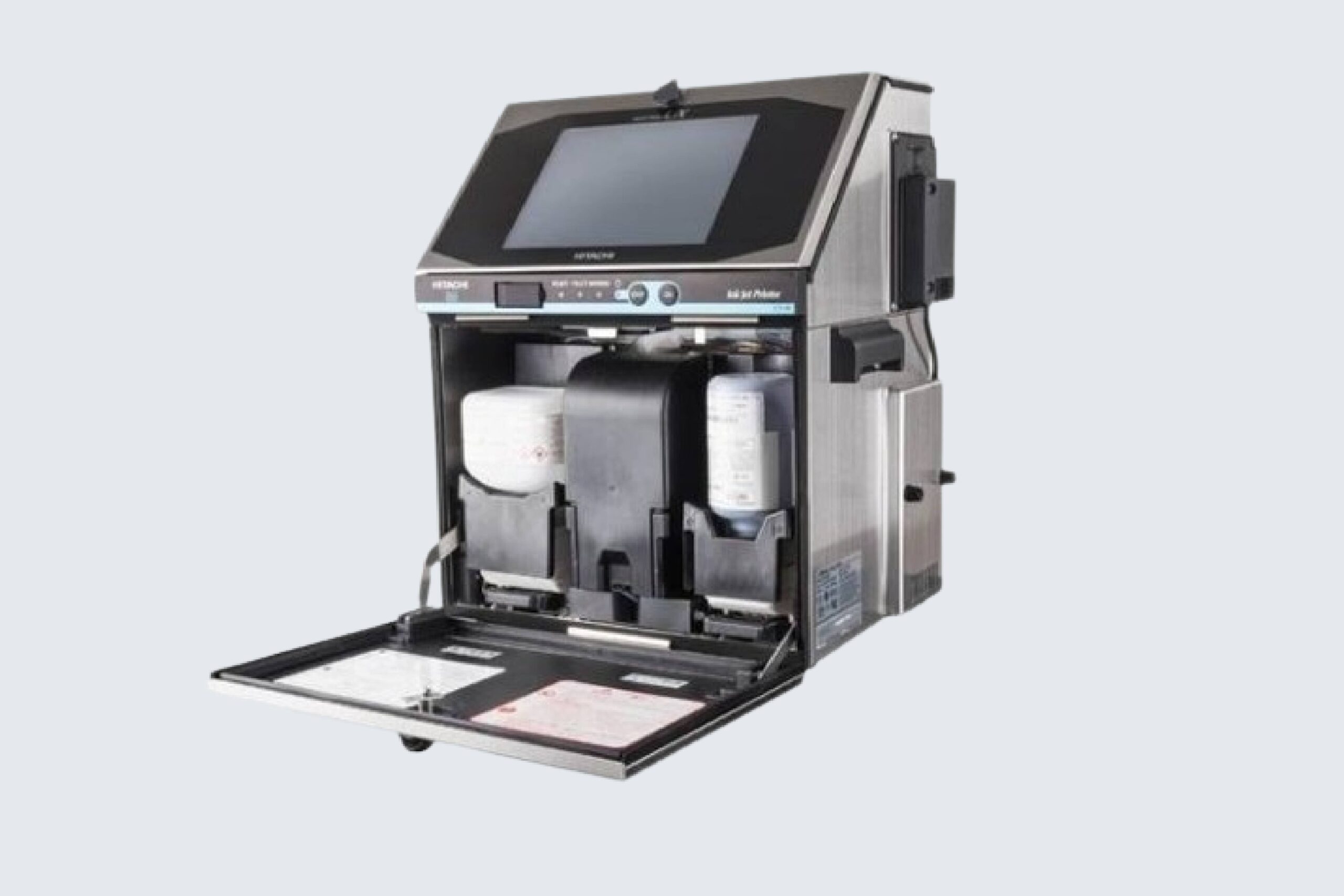
Continuous Inkjet (CIJ) printers are essential tools in modern manufacturing, providing high-speed, non-contact printing for marking products with batch codes, expiration dates, barcodes, and logos. While CIJ printers are highly reliable, operators may occasionally encounter issues that affect print quality or disrupt production. Understanding common problems and their solutions is crucial for minimizing downtime and maintaining operational efficiency.
A Continuous Inkjet Printer is a complex system that relies on precise fluid dynamics, electronics, and software to function correctly. Many manufacturers rely on suppliers such as Continuous Inkjet Printer to provide robust, high-quality equipment and technical support for troubleshooting. By learning the causes of common issues and following recommended practices, operators can quickly resolve problems and keep production lines running smoothly.
Print Quality Problems
One of the most frequent issues in CIJ printing is poor print quality, which may manifest as blurred characters, incomplete prints, or streaks. These problems are often caused by clogged nozzles, dirty printheads, or improper ink viscosity. To address these issues, operators should perform regular cleaning cycles, check and replace filters, and ensure that the ink is properly mixed and compatible with the printer. Maintaining a clean and well-calibrated system is essential for achieving consistent, legible prints.
Ink Flow and Pressure Issues
CIJ printers rely on a steady flow of ink to produce accurate markings. Inconsistent ink flow or pressure can result in uneven printing, missing characters, or ink splatter. Common causes include air bubbles in the ink lines, worn or faulty pumps, or blocked tubing. Operators should inspect the ink delivery system, remove air from the lines, and replace worn components as needed. Ensuring proper installation of ink cartridges and reservoirs also helps maintain consistent ink flow and pressure.
Electrical and Software Errors
Modern CIJ printers incorporate sophisticated electronics and software to control droplet formation, print timing, and communication with production lines. Electrical or software malfunctions can lead to error messages, misaligned prints, or printer shutdowns. To troubleshoot these issues, operators should check connections, restart the printer, and verify software settings. Many printers offer built-in diagnostic tools that help identify faulty components or configuration errors. Keeping firmware and software up to date also reduces the likelihood of system errors.
Nozzle Clogging
Nozzle clogging is a common problem in CIJ printing, particularly when the printer is used intermittently or with incompatible inks. Clogged nozzles prevent proper droplet formation and disrupt print quality. Regular automated cleaning cycles, proper ink storage, and using recommended ink types can prevent clogging. If a clog occurs, operators may need to perform manual cleaning or replace the printhead. Ensuring the printer operates at recommended temperatures also helps maintain ink consistency and prevent blockages.
Misalignment and Character Skew
Misaligned prints or skewed characters often result from improper synchronization between the printer and the production line. Conveyor speed fluctuations, mechanical vibrations, or incorrect printhead alignment can cause this issue. Operators should check line speed, secure printer mounting, and recalibrate the printhead as needed. Regular maintenance and alignment checks ensure that prints are consistently positioned and oriented correctly on products.
Environmental Factors
Environmental conditions, such as temperature, humidity, and dust, can impact CIJ printer performance. High humidity may affect ink drying times, while excessive dust or debris can clog nozzles or interfere with sensors. Operators should maintain a clean production environment and ensure the printer is protected from extreme conditions. Using printer enclosures, dust filters, and temperature-controlled rooms helps prevent environmental issues from affecting print quality.
Consumable and Ink Issues
Using low-quality or incorrect inks and consumables can result in poor adhesion, fading, or smudging of prints. Always use recommended inks, filters, and reservoirs provided by the printer manufacturer. Regularly monitoring ink levels, replacing worn consumables, and adhering to maintenance schedules helps prevent issues related to ink and consumables.
Conclusion
Troubleshooting common issues in Continuous Inkjet printing requires a combination of preventive maintenance, proper operation, and timely intervention. By addressing print quality problems, ink flow issues, nozzle clogs, misalignment, and environmental factors, operators can minimize downtime and maintain efficient production. Partnering with a trusted Continuous Inkjet Printer supplier ensures access to high-quality equipment, technical guidance, and recommended consumables. Understanding these common issues and their solutions allows manufacturers to maximize productivity, maintain consistent print quality, and ensure smooth operation of CIJ printers across diverse industrial applications.