


Maintenance and Troubleshooting of M12 Connector Systems
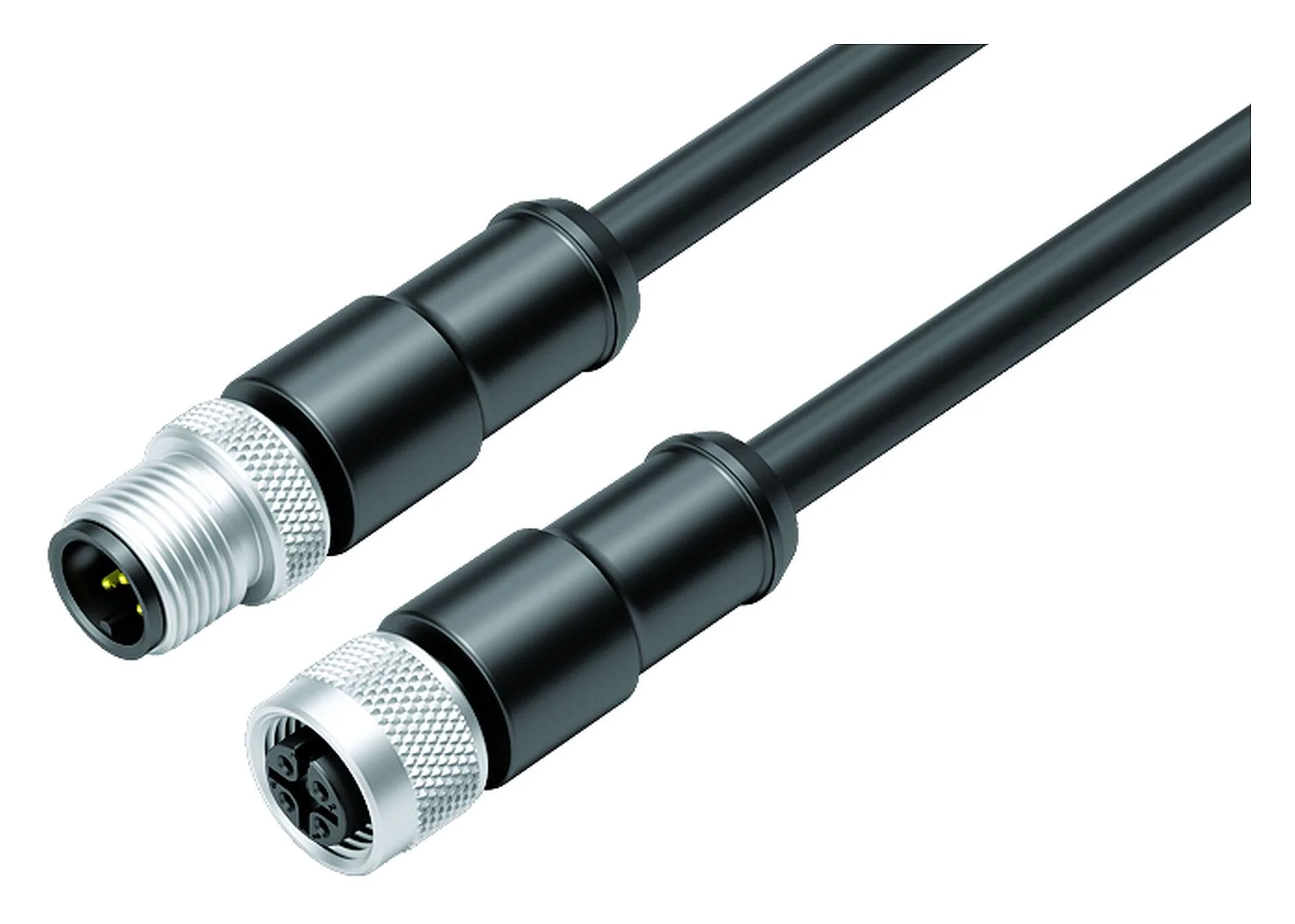
M12 connectors are widely used in industrial automation, robotics, and control systems due to their compact design, robust construction, and reliable performance. These connectors provide secure connections for sensors, actuators, industrial Ethernet devices, and fieldbus systems. While M12 connectors are engineered for durability, proper maintenance and timely troubleshooting are essential to ensure long-term performance and prevent system failures.
The M12 Connector is designed to withstand harsh industrial environments, including exposure to vibration, moisture, dust, and temperature fluctuations. However, like all electrical components, connectors are susceptible to wear, contamination, or installation issues over time. Establishing a structured maintenance and troubleshooting routine can minimize downtime, extend connector life, and maintain reliable system operation.
Routine Maintenance Practices
Routine maintenance is critical to ensure that M12 connectors perform optimally in industrial applications. Key maintenance practices include inspection, cleaning, and proper handling.
Visual Inspection
Regular visual inspection helps detect early signs of wear, corrosion, or damage. Check the following:
- Connector Housing: Look for cracks, deformation, or damage to the threaded coupling.
- Contacts: Examine for signs of oxidation, dirt, or bending. Proper alignment is essential for consistent electrical contact.
- Seals and O-Rings: Inspect for cracks, compression, or deterioration that could compromise environmental protection.
- Cable Entry: Ensure cables are correctly secured and strain reliefs are intact to prevent stress on the connector.
Cleaning and Contamination Prevention
M12 connectors often operate in dusty, wet, or chemical-prone environments. Dirt, oil, or moisture can compromise electrical performance and lead to signal loss or short circuits. To maintain performance:
- Use a soft brush or lint-free cloth to remove dust and debris.
- For stubborn contaminants, use a mild cleaning solution compatible with the connector’s material. Avoid harsh chemicals that could damage seals or insulation.
- Ensure connectors are completely dry before reconnecting to prevent short circuits or corrosion.
Lubrication
In certain applications where connectors are frequently mated and unmated, a small amount of contact-safe lubricant may reduce wear and prevent corrosion. Use lubricants recommended by the manufacturer to avoid degrading seals or contact surfaces.
Troubleshooting Common Issues
Even with proper maintenance, M12 connectors may encounter issues that require troubleshooting. Common problems include poor electrical contact, signal loss, or physical damage.
Loose or Improperly Coupled Connectors
Threaded coupling is a hallmark of M12 connectors, providing secure connections and environmental sealing. However, connectors may loosen due to vibration or improper installation:
- Check that the connector is fully threaded and hand-tightened according to manufacturer torque specifications.
- Inspect for worn or damaged threads, which may require replacement of the connector or coupling nut.
Corrosion or Contamination of Contacts
Corrosion, oxidation, or dirt on the contacts can lead to intermittent connections or increased contact resistance:
- Remove the connector and clean the contacts using a contact cleaner designed for electronic components.
- Inspect for bent or damaged pins and replace the connector if necessary.
- Verify that seals and O-rings are intact to prevent future contamination.
Cable and Wiring Issues
Cable strain, insulation damage, or loose terminations can disrupt electrical performance:
- Check that cables are properly secured with strain reliefs to prevent pulling or bending near the connector.
- Inspect wiring connections for loose or broken strands and ensure correct polarity and pin assignment.
- Use a continuity tester or multimeter to verify electrical connectivity through the connector.
Environmental Seal Failures
Failure of environmental seals can allow moisture or dust ingress, compromising electrical performance:
- Inspect O-rings and gaskets for cracks, flattening, or chemical damage.
- Replace damaged seals immediately to restore IP rating and environmental protection.
- Ensure connectors are correctly mated and tightened to maintain the sealing integrity.
Testing and Diagnostic Tools
Using proper diagnostic tools simplifies maintenance and troubleshooting:
- Multimeters: Measure continuity, voltage, and resistance to identify wiring faults or high-resistance contacts.
- Oscilloscopes: Analyze signal integrity for high-speed data connections, particularly in D-coded or X-coded M12 connectors.
- Connector Testers: Specialized testers can quickly check pin assignments, continuity, and insulation quality.
- Thermal Imaging: Detect hotspots in power connections caused by high resistance or poor contact.
Best Practices for Long-Term Reliability
Adopting best practices in handling, installation, and maintenance extends the life of M12 connectors:
- Avoid excessive force when mating or unmating connectors. Use the threaded coupling properly.
- Keep connectors capped when not in use to prevent contamination.
- Document maintenance and inspection schedules to track connector performance over time.
- Replace connectors showing repeated issues or physical damage rather than attempting temporary repairs.
Conclusion
Maintenance and troubleshooting of M12 connector systems are essential to ensure reliable performance in industrial applications. Routine inspections, proper cleaning, careful handling, and timely identification of issues such as loose connections, contamination, or cable strain can prevent downtime and extend connector life. By following best practices and using diagnostic tools, engineers and technicians can maintain the integrity of M12 connectors, ensuring consistent electrical performance, environmental protection, and long-term system reliability in demanding industrial environments.