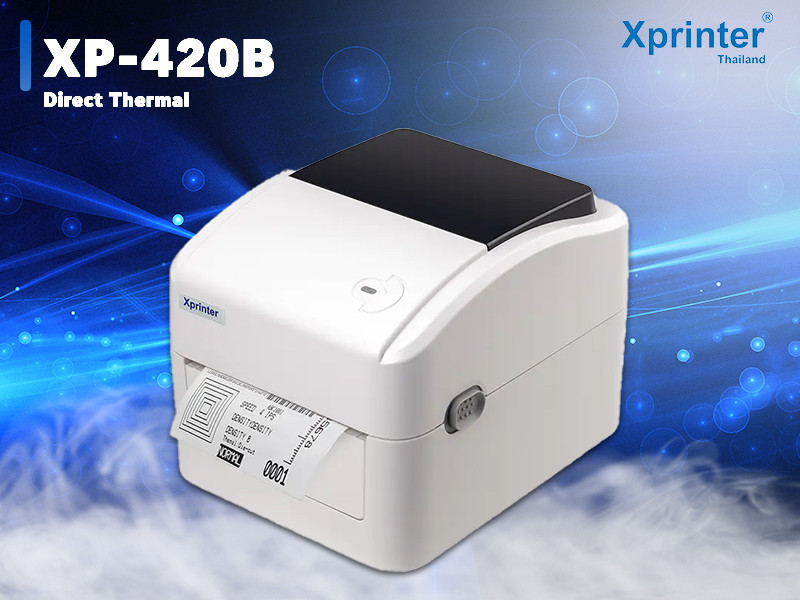
A thermal receipt printer is an essential part of many business operations, including retail stores, restaurants, cafes, and service counters. Since these printers are often used throughout the day, proper maintenance is important to ensure consistent performance, clear printing, and longer equipment life.
Regular care helps prevent common issues such as poor print quality, paper jams, and connection problems. Businesses using solutions like Xprinter Thermal Receipt Printer can improve reliability by following simple maintenance practices that keep the printer working efficiently.
1. Clean the Print Head Regularly
The print head is one of the most important components of a thermal printer. Over time, dust, paper residue, and other particles can affect print quality.
Regular cleaning helps prevent:
- Faded receipts
- Uneven printing
- Missing text or images
- Reduced printing performance
Use proper cleaning tools and follow recommended cleaning procedures to avoid damaging the print head.
2. Use High-Quality Thermal Paper
The type of paper used can directly affect printer performance. Low-quality thermal paper may leave residue, reduce print clarity, or create feeding problems.
For better results:
- Choose compatible thermal paper
- Avoid damaged or poor-quality rolls
- Store paper in a dry, cool location
- Use the correct paper size
Good-quality paper helps maintain clear receipts and reduces unnecessary maintenance.
3. Keep the Printer Area Clean
The environment around the printer can affect its operation. Dust and debris may enter the printer and cause mechanical issues over time.
To maintain a clean workspace:
- Remove dust regularly
- Avoid placing liquids near the printer
- Keep ventilation areas clear
- Protect the device from excessive heat
A clean environment supports better performance and reduces the chance of damage.
4. Check Paper Installation
Incorrect paper placement is a common cause of printing problems. Ensuring the paper roll is installed correctly helps prevent interruptions.
Always check that:
- The paper roll is positioned properly
- The printable side is facing correctly
- The cover is closed securely
- The paper feeds smoothly
Proper installation improves printing efficiency and reduces paper jams.
5. Inspect Cables and Connections
Connection issues can interrupt daily printing operations. Regularly checking cables helps maintain stable communication between the printer and connected devices.
Review:
- Power cable connections
- USB cables
- Ethernet connections
- Wireless settings
Replacing damaged cables or correcting loose connections can prevent unnecessary downtime.
6. Update Drivers and Software
Printer performance depends on proper communication between the device and business systems.
Keeping drivers and software updated can help:
- Improve compatibility
- Fix connection issues
- Support system updates
- Maintain reliable operation
Regular software checks are especially important for businesses using POS systems.
7. Avoid Overloading the Printer
Thermal receipt printers are designed for regular business use, but excessive workloads beyond recommended limits can affect performance.
To maintain reliability:
- Monitor printing volume
- Allow proper ventilation
- Avoid unnecessary continuous operation
- Follow manufacturer recommendations
Using the printer appropriately helps extend its working life.
8. Replace Worn Components When Needed
Over time, certain printer parts may experience wear due to frequent use. Replacing damaged components helps maintain consistent performance.
Signs that parts may need attention include:
- Reduced print quality
- Frequent paper feeding issues
- Unusual operating sounds
- Inconsistent printing
Timely replacement prevents small problems from becoming larger issues.
9. Perform Regular Test Prints
Routine testing helps identify problems before they affect important business transactions.
A test print can help check:
- Print clarity
- Paper alignment
- Connection performance
- Overall printer condition
Regular monitoring allows businesses to address issues early.
10. Follow Proper Storage and Handling Practices
When the printer is not in use for extended periods, proper storage helps protect the equipment.
Recommended practices include:
- Covering the printer to prevent dust buildup
- Disconnecting power when necessary
- Storing in a dry environment
- Handling the device carefully during movement
Good handling habits contribute to longer equipment lifespan.
Common Maintenance Mistakes to Avoid
Businesses should avoid practices that may reduce printer performance, such as:
- Using incompatible paper
- Ignoring cleaning schedules
- Pulling paper forcefully during jams
- Blocking ventilation areas
- Using damaged cables
Avoiding these mistakes helps maintain smooth and reliable operation.
Conclusion
Regular maintenance is essential for keeping a thermal receipt printer performing at its best. Simple actions such as cleaning the print head, using quality paper, checking connections, and updating software can prevent common issues and improve reliability.
By following proper care practices, businesses can extend the lifespan of their printing equipment, reduce downtime, and maintain efficient daily operations.