
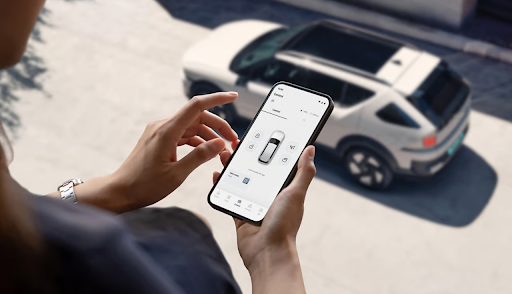
Car ownership involves more than driving. Owners need to book servicing, track maintenance, make payments, and access roadside assistance when required. Hyundai Motor India’s myHyundai app brings several of these services together, allowing customers to manage many ownership-related tasks from their smartphones. It also provides access to membership benefits, vehicle purchase services, and connected car technology for eligible vehicles.
Understanding the app’s features and how they differ from Hyundai Bluelink can help owners make better use of the services available to them.
What is the myHyundai App?
The myHyundai app is Hyundai Motor India’s mobile application for accessing vehicle-related services, car-buying facilities and customer benefits. Customers can register for an account, verify their vehicle details, and explore available services.
Key facilities include online service booking, digital payments, roadside assistance, Hyundai Mobility Membership and electric vehicle charging station information. The app also supports car-buying activities, including scheduling test drives and making online bookings.
Some features require users to register their vehicles, while others depend on the service, location or vehicle model. Owners should check the app for the facilities available to their accounts.
How Can the App Help With Everyday Car Maintenance?
The myHyundai app helps owners organise routine maintenance and access relevant services without visiting a dealership just to make an appointment.
Its main service-related features include:
- Online service booking: Schedule a service appointment through the app.
- Pickup and drop-off: Request vehicle collection and delivery, subject to location, dealership terms and availability.
- Service estimates and payments: Access available job estimates and pay service bills digitally.
- Service history: Check available service records and payment history.
- Roadside assistance: Access information about emergency roadside support.
- Maintenance updates: Track service-related updates where available.
These features help owners plan maintenance and track service records. Confirm appointment availability, charges, and service conditions before booking.
What Are the Hyundai Car App Features Beyond Servicing?
Beyond maintenance, Hyundai car app features include services for buying a car, membership benefits, and electric vehicle ownership.
The app allows customers to explore online car-buying options through Hyundai’s Click-to-Buy facility. Users can also schedule test drives and access purchase-related information.
Hyundai Mobility Membership provides access to offers from participating brands across car care, mobility and lifestyle categories. The app also includes a facility to locate charging stations for Hyundai electric vehicle owners.
Roadside assistance is another useful facility for customers who need help during a vehicle-related emergency. Availability and applicable conditions depend on the service selected.
These features bring several ownership tasks into one app, although each service may have separate terms and eligibility requirements.
How Does Hyundai Bluelink Work With myHyundai?
It is important to distinguish myHyundai from Hyundai Bluelink. The myHyundai app focuses on ownership services, while Bluelink provides connected car functions for compatible vehicles.
According to Hyundai, Bluelink can support features such as:
- Remote vehicle controls: Operate supported functions, such as door locking and climate control, through the app.
- Vehicle status: Check available information, including fuel level and door status, depending on the vehicle’s equipment.
- Vehicle location: Use supported location services to help find the car.
- Safety assistance: Access eligible services such as SOS and emergency assistance.
- Vehicle health information: Review available vehicle health reports and maintenance-related information.
The exact features depend on the model, variant and active Bluelink service. Hyundai states that new vehicle purchases include three years of complimentary Bluelink services, after which charges may apply. Owners should confirm the terms applicable to their vehicle.
The myHyundai app provides access to Bluelink through an option that redirects users to the separate Bluelink application. Only vehicles equipped with and enabled for Bluelink can use its connected functions.
How Can You Register for the myHyundai App?
Getting started involves a few simple steps:
- Download the app: Install myHyundai from the Google Play Store or Apple App Store.
- Create an account: Register using your email address and mobile number, and complete the required verification.
- Verify your vehicle: Enter the requested vehicle details, including the vehicle identification number (VIN), where required.
- Explore available services: Open the relevant sections to access service bookings, membership offers and other facilities.
- Access Bluelink if eligible: Select the Bluelink option and follow the instructions to download or open the separate app.
Hyundai notes that users must verify their vehicle details to unlock certain services. If a VIN is already linked to another mobile number, you may need additional verification. Customers can contact Hyundai support for assistance.
What Should Owners Check Before Using the App?
Before using any feature, confirm it is available for your account and vehicle. Connected services may require vehicle compatibility, activation, an internet connection or an active subscription.
For service appointments, check the booking confirmation, estimated charges and pickup or drop-off conditions. For Bluelink functions, review the applicable terms and vehicle specifications.
Owners should also protect their account details, keep passwords and verification codes private, and review the app’s permissions.
Final Thoughts
The myHyundai app brings together services that can make car ownership easier to manage, from booking maintenance to accessing membership benefits and roadside assistance. Eligible owners can also use Hyundai Bluelink’s connected car features through a separate application. Understanding the difference between these services and checking vehicle compatibility helps customers use the available facilities effectively.